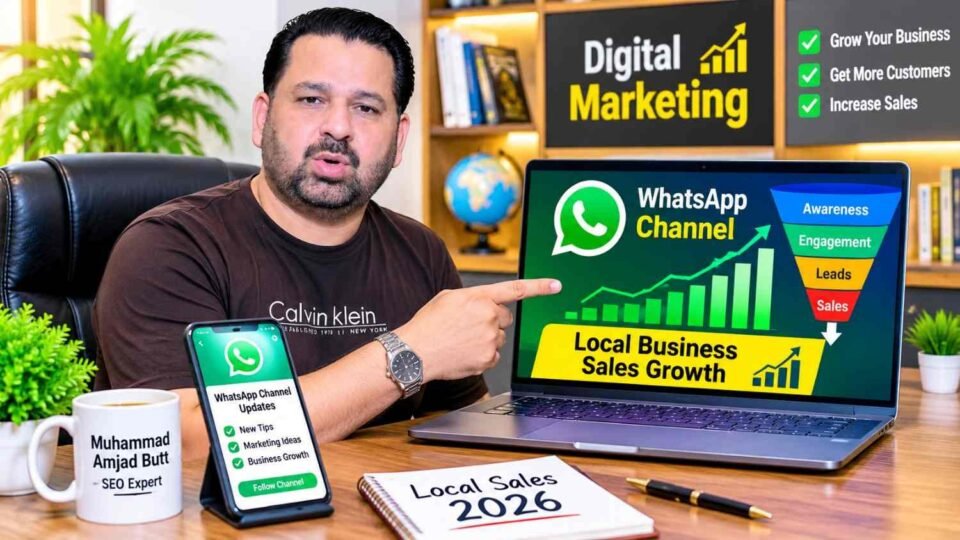
Using WhatsApp Channels for Local Business requires setting up a one-way broadcast feed to share inventory updates, driving one-on-one direct sales through pre-filled wa.me links. By combining city-level channel SEO with offline QR standees at checkout counter displays, local shops and service providers consistently turn passive channel followers into active, paying customers.
1. How Do WhatsApp Channels Differ from Broadcast Lists and Communities?
WhatsApp Channels provide an unlimited broadcast feed that protects user privacy, unlike traditional group tools that expose phone numbers or restrict contact counts. We regularly analyze broadcast architectures at Magazine Reader, and understanding these structural limits prevents local businesses from hitting sudden growth ceilings.
| Feature | WhatsApp Channels | Broadcast Lists | WhatsApp Communities |
|---|---|---|---|
| Follower / Member Limit | Unlimited | Strict 256 contacts per list | Up to 2,000 members across sub-groups |
| Phone Number Privacy | Complete (Admins and followers cannot view numbers) | None (Recipients see standard 1-on-1 contact info) | |
| Message Delivery Requirement | Anyone can follow without saving your business contact | Recipients MUST save your phone number to receive messages | Members must accept group invitation or link |
| Notification Behavior | Muted by default in the “Updates” tab | Direct inbox notification sound/alert | Standard group chat notification behavior |
| Primary Sales Use Case | Public product drops, flash deals, and audience growth | VIP customer follow-ups and custom re-engagement | Local customer clubs and multi-branch discussion hub |
2. How Do You Convert One-Way Channel Viewers Into Paying Customers?
Since WhatsApp Channels are one-way broadcast feeds where subscribers cannot comment directly, converting interest into transactions requires an intentional chat funnel. You bridge this gap by placing a direct click-to-chat URL inside every promotional post.
Create a customized wa.me link attached to your business phone number that pre-fills the customer’s text box automatically. When a follower views your channel post and clicks the link, their WhatsApp app opens a direct 1-on-1 chat window pre-loaded with order details.
Use the following standard URL syntax to construct your instant order links:
https://wa.me/923072001941?text=Hi,%20I%20want%20to%20order%20the%20Flash%20Sale%20item%20featured%20on%20your%20WhatsApp%20Channel.For more insights on handling incoming inquiries once customers enter your inbox, read our complete guide on How to Handle Price Shoppers on WhatsApp without discounting your margin.
3. How Can Physical Local Businesses Grow Their Channel Audience Offline?
Growing a localized WhatsApp Channel does not rely purely on online advertising; physical stores, restaurants, and service clinics can convert foot traffic directly at the point of purchase. Turning walk-in shoppers into digital subscribers keeps your store top-of-mind long after they leave.
- Cash-Counter QR Standees: Display an acrylic QR code standee next to the register offering an instant 5% or 10% discount on today’s bill when customers scan and tap “Follow” on your channel.
- Packaging & Invoice Stickers: Print a scannable QR code on custom shopping bags, delivery boxes, and printed receipts with a clear call-to-action: “Scan for Daily Exclusive Stock Alerts.”
- Google Business Profile Integration: Add your channel join link directly inside your Google Business Profile updates and business description to capture local searchers looking for active promotions.
4. How Do You Rank Your WhatsApp Channel in WhatsApp’s Directory?
WhatsApp includes a built-in search directory within the “Updates” tab, allowing local users to search for businesses near them. Optimizing your channel metadata ensures your profile appears when local buyers search for products in your category.
Always incorporate your primary target city directly into your official Channel Name (e.g., “Faisalabad Electronics & Mobile Accessories”). Selecting the correct primary business category during setup tells WhatsApp’s indexing algorithm exactly where to rank your profile.
Incorporate local high-intent keywords naturally into your 500-character Channel Description. Outline what products you stock, your physical store address, operational business hours, and delivery service areas.
5. What Is the Best Posting Schedule and Sales Copy for WhatsApp Channels?
Over-posting causes subscribers to mute or unfollow your channel quickly. Maintain a clean broadcast cadence of 3 to 5 updates per week, spacing out commercial offers with genuine store updates or value posts.
Use these copy-paste message templates to structure high-converting updates for your subscribers:
Template 1: 24-Hour Flash Sale Alert
⚡ 24-HOUR LOCAL FLASH SALE ⚡

We are offering 20% OFF our top-selling Wireless Earbuds exclusively for channel subscribers!

📍 Available for store pick-up & citywide same-day delivery.
🕒 Offer expires tomorrow at 6:00 PM (Limited stock available).

👇 Tap link to claim yours via direct chat:
https://wa.me/923072001941?text=I%20want%20to%20claim%20the%2020%25%20Earbuds%20Flash%20Sale
Template 2: New Arrival Stock Drop
📦 NEW ARRIVALS JUST UNBOXED! 📦

Our latest shipment of Premium Leather Jackets has just arrived at our store.

✅ Genuine Leather
✅ Sizes: S, M, L, XL
✅ Free home delivery across the city

👇 View full photos and place your order directly:
https://wa.me/923072001941?text=Hi,%20send%20me%20photos%20and%20prices%20for%20the%20New%20Leather%20Jackets
6. How Do You Add Sticky Channel Widgets and Track Clicks in WordPress?
Integrating your WhatsApp Channel into your WordPress website converts site visitors into long-term subscribers. Using clean code snippets allows you to add floating channel buttons without slowing down site performance.
Insert a simple floating CTA snippet into your site header or footer using plugins like WPCode. Always append UTM tracking parameters to your channel join URL so Google Analytics records traffic sources accurately.
<!-- Sticky WhatsApp Channel Join Button -->
<div class="wa-channel-sticky" style="position: fixed; bottom: 20px; right: 20px; z-index: 9999;">
  <a href="https://whatsapp.com/channel/YOUR_CHANNEL_ID?utm_source=website&utm_medium=sticky_button&utm_campaign=local_sales" target="_blank" rel="noopener" style="background-color: #25D366; color: #ffffff; padding: 12px 20px; border-radius: 30px; font-weight: bold; text-decoration: none; box-shadow: 0 4px 8px rgba(0,0,0,0.2);">
    💬 Join Our Local WhatsApp Channel
  </a>
</div>
Track outgoing link clicks in Google Search Console and GA4 by creating custom Event triggers for outgoing clicks containing whatsapp.com/channel/. This verifies exactly how many site visitors migrate over to your broadcast channel every month.
7. Frequently Asked Questions
Can subscribers reply directly inside a WhatsApp Channel?
No, WhatsApp Channels are strictly one-way broadcasting feeds where followers can only view updates and react with emojis. To convert viewers into buyers, include a direct wa.me link in your posts so customers can initiate a 1-on-1 private chat with your business.
Are phone numbers visible to other followers in a WhatsApp Channel?
No, WhatsApp Channels protect user privacy by default. Channel admins and other followers cannot see your phone number, profile picture, or name, making users significantly more willing to join business channels.
How do I rank my WhatsApp Channel higher in local search results?
Include your primary city and business category directly in the channel title (e.g., ‘Faisalabad Electronics – Daily Deals’), select the exact business category during setup, and incorporate local keywords throughout the channel description.