How we checked this guide: every rate, threshold and deadline below was checked against official GOV.UK and HMRC guidance on 26 November 2026. Figures are for the 2026/27 tax year (6 April 2026 to 5 April 2027). Links to each official source are in the text and listed at the end.
Last updated: 26 November 2026
Do I need to register as a sole trader if I earn under £1,000?
No. The £1,000 trading allowance means you don’t need to register with HMRC or pay tax if your gross trading income is £1,000 or less in a tax year. The UK tax year runs from 6 April to 5 April.
“Gross” means everything customers pay you, before expenses. If you sell £1,400 of handmade candles and spend £600 on wax, you’re still over the limit and must register.
When it still makes sense to register under £1,000
- You made a loss: registering lets you record it.
- You have gaps in your National Insurance record: self-employed people with gross income of £1,000 or less can pay voluntary Class 2 NI (£3.65 a week in 2026/27). Most employees earning above the Lower Earnings Limit already get a qualifying year through PAYE, so they usually don’t need this. Check your State Pension forecast first.
- You expect to grow quickly: registering early saves a rush later.
Once you go over £1,000, you can either claim the £1,000 allowance as a flat deduction or deduct your real expenses. You can’t do both, so pick whichever is bigger.
Coming in April 2027: the allowance rises to £3,000
The government has confirmed the trading allowance will increase from £1,000 to £3,000 from 6 April 2027 (the 2027/28 tax year), with the Self Assessment reporting threshold rising to £3,000 too. See the official GOV.UK policy paper.
Until then, the £1,000 limit still applies. If you go over £1,000 in the 2026/27 tax year, you still need to register by 5 October 2027.
Will my employer find out if I register as a sole trader?
No. HMRC does not notify your employer when you register as a sole trader. Your employer only ever sees your PAYE tax code, not the reason behind it.
Your code can change if you choose to pay a small Self Assessment bill through PAYE (HMRC allows this for smaller debts). If you’d rather keep things completely separate, just pay HMRC directly.
One thing to check: your employment contract. Some contracts restrict second jobs or work for competitors, and that’s an employment issue, not a tax one.
How are PAYE salary and self-employed profits taxed together?
Your £12,570 Personal Allowance is normally used up by your salary first. That means every pound of side-hustle profit is usually taxed at your marginal rate.
- Basic rate (20%): if salary plus profit stays at or under £50,270.
- Higher rate (40%): on the part of your total income above £50,270.
Scotland has different Income Tax bands, so Scottish taxpayers should check the Scottish Income Tax rates.
What about National Insurance?
Class 4 National Insurance is worked out on your self-employed profits alone, not your salary. For 2026/27 it’s 6% on profits between £12,570 and £50,270, and 2% above that. Most small side hustles pay no Class 4 at all.
A real example
Sarah earns £32,000 as an office manager and makes £6,000 profit from wedding photography. Her salary uses the Personal Allowance, so the £6,000 is taxed at 20%: £1,200 Income Tax. Her profit is under £12,570, so there’s no Class 4 National Insurance.
Watch out for payments on account. If your Self Assessment bill is over £1,000, HMRC may ask you to pay half of next year’s bill in advance, which can make your first January bill feel much bigger.
What do you need before you register?
- Your National Insurance number.
- Your full name, date of birth, home address and phone number.
- The date you started trading.
- A short description of what your business does.
- Your business name and address, if different from your own.
- Photo ID (passport or driving licence) or recent payslips/P60 to prove your identity.
How do you register as a sole trader step by step?
- Go to the GOV.UK Self Assessment registration page and choose to register as self-employed.
- Sign in or create your sign-in details. If you’ve never used HMRC online, you’ll create a Government Gateway account.
- Prove your identity using photo ID, payslips or your P60.
- Enter your business details: start date, business name, description and address.
- Submit the form. Registration is free. Ignore any website charging you to “register with HMRC”.
- Wait for your UTR, then keep it safe. You’ll need it for every tax return.
Deadline: register by 5 October after the end of the tax year in which you first earned over £1,000. If you crossed £1,000 between 6 April 2026 and 5 April 2027, your deadline is 5 October 2027.
What is the difference between a Government Gateway ID and a UTR number?
People mix these up all the time. They’re two different things with different timelines.
- Government Gateway User ID (usually 12 digits): your login for HMRC online services. You get it immediately when you create your account. It proves who you are, not your tax status.
- Unique Taxpayer Reference (UTR, 10 digits): your Self Assessment tax reference. HMRC sends it by post, usually within 15 working days (longer if you’re abroad). You can often see it sooner in the HMRC app. Lost it? Here’s how to find your UTR.
Your Gateway ID gets you in the door. Your UTR is what goes on your tax return and what accountants and some clients will ask for.
What can you call your business as a sole trader?
Sole traders register with HMRC only. You do not register with Companies House.
You can trade under your own name (for example, “Sarah Khan Photography”) or a separate business name. Your name must not:
- Include “Limited”, “Ltd”, “LLP”, “Limited Liability Partnership”, “PLC” or “Public Limited Company”.
- Be offensive.
- Be the same as or too similar to an existing trademark.
Put both your own name and your business name on invoices and letters.
Full details: GOV.UK rules for choosing a sole trader business name.
Sole trader vs UK limited company (Ltd) in 2026
| Factor | Sole Trader | UK Limited Company (Ltd) |
|---|---|---|
| Registration Cost | £0 (free Self Assessment registration with HMRC) | £100 to incorporate online at Companies House (since 1 February 2026), plus £50 a year for the online confirmation statement |
| Tax Structure | Income Tax at 20%/40% on profits, plus Class 4 NI on profits above £12,570 | Corporation Tax on company profits, then tax on salary or dividends you take out |
| Privacy / Companies House | Not listed on Companies House; your details stay private | Company, directors and some details are on the public Companies House register |
| Admin & MTD Rules | One yearly tax return; MTD quarterly updates if qualifying income is over £50,000 (from April 2026) | Annual accounts, Corporation Tax return, confirmation statement and payroll; more paperwork |
| Liability | You are personally liable for business debts | Liability is usually limited to the company |
| Best Fit | Employees testing a side hustle, freelancers and small service businesses | Higher-profit businesses, riskier work, or when clients require a Ltd |
Companies House fees: see the official Companies House fees list.
Most of the employees we work with start as sole traders. Once profits grow and the work turns into a real business, our guide on how to grow a local business from zero to the top in 8 stages shows the next steps.
Does Making Tax Digital apply to sole traders from April 2026?
Official guidance: GOV.UK Making Tax Digital for Income Tax.
Yes, if your qualifying income is high enough. From 6 April 2026, sole traders and landlords with gross qualifying income over £50,000 must use Making Tax Digital (MTD) for Income Tax.
Qualifying income means gross self-employment income plus gross property income. Your PAYE salary does not count.
What MTD means in practice
- Keep digital records of income and expenses in HMRC-compatible software.
- Send quarterly updates (summaries of income and expenses, not four tax returns).
- Submit your tax return through the same software after the tax year ends.
The thresholds are falling
- From April 2026: qualifying income over £50,000 (based on your 2024/25 return).
- From April 2027: over £30,000 (based on 2025/26).
- From April 2028: over £20,000 (based on 2026/27).
A side hustle that’s growing could reach the £20,000 level quickly. Using simple bookkeeping software from day one makes the switch painless.
What should you set up after registering as a sole trader?
1. Open a separate business bank account
Sole traders aren’t legally required to have a business account, but mixing personal and business money is the number one cause of tax-season headaches. App-based options like Tide, Starling or Monzo Business can be opened in minutes.
Each month, move 20% to 30% of your profit into a separate “tax pot” so January’s bill is already covered.
2. Track income and expenses from day one
- Snap a photo of every receipt the day you get it.
- Log income and expenses weekly in a spreadsheet or MTD-compatible app.
- Keep records for at least 5 years after the 31 January deadline for that tax year, as set out in HMRC’s record-keeping rules for the self-employed.
Common allowable expenses include equipment, software, materials, website hosting, a share of your phone bill, and business mileage.
3. Look professional to your first customers (optional)
Once the tax side is sorted, a few small steps help customers trust you:
- A simple website and domain email: see our guide to shared web hosting for small business.
- A separate business phone line so your personal number stays private: is a free IP telephony service enough?
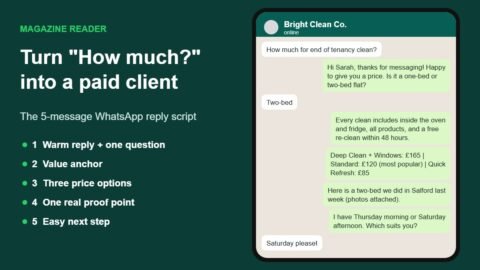
- Confident pricing replies when people ask for quotes: our WhatsApp price shoppers script.
Post-registration UK sole trader checklist
Copy this and tick each item off once you’ve registered.
UK SOLE TRADER POST-REGISTRATION CHECKLIST (2026)
Name: ____________________   Start date: __________

[ ] 1. Save your Government Gateway User ID and password safely
[ ] 2. Record your 10-digit UTR (letter or HMRC app)
[ ] 3. Download the HMRC app and sign in
[ ] 4. Open a separate business bank account
[ ] 5. Move 20%-30% of profit into a tax pot every month
[ ] 6. Set up bookkeeping (spreadsheet or MTD-compatible software)
[ ] 7. Photograph and file every receipt
[ ] 8. Show your name + trading name on all invoices
[ ] 9. Check your employment contract for second-job rules
[ ] 10. Track gross income against MTD thresholds (£50k / £30k / £20k)
[ ] 11. Diary: 5 October registration deadline
[ ] 12. Diary: 31 January tax return + payment deadline
[ ] 13. Diary: 31 July second payment on account (if applicable)
Frequently Asked Questions
Will my employer find out if I register as a sole trader in the UK?
No. HMRC does not tell your employer that you have registered as a sole trader. Your employer only sees your tax code, and that changes only if you choose to pay a small Self Assessment balance through PAYE. Check your employment contract for any rules about second jobs or competing work.
Do I need to register as a sole trader if I earn less than £1,000?
No. If your gross trading income is £1,000 or less in a tax year (6 April to 5 April), the trading allowance covers it and you do not need to register or pay tax on it. You can still register voluntarily, for example to claim a loss. From 6 April 2027 this limit rises to £3,000.
What is the deadline to register as a sole trader in the UK?
You must register by 5 October after the end of the tax year in which your gross trading income first went over £1,000. For example, if you crossed £1,000 between 6 April 2026 and 5 April 2027, register by 5 October 2027. Late registration can lead to a penalty.
Official sources used in this guide
- GOV.UK: Who can pay voluntary National Insurance
- GOV.UK: Companies House fees
- GOV.UK: Register for Self Assessment if you’re self-employed
- GOV.UK: Tax-free allowances on property and trading income
- GOV.UK: Increasing the trading allowance to £3,000 (from April 2027)
- GOV.UK: Income Tax rates and Personal Allowances
- GOV.UK: Self-employed National Insurance rates
- GOV.UK: Making Tax Digital for Income Tax
- GOV.UK: Choose your business name (sole traders)
- GOV.UK: Payments on account
- GOV.UK: Business records if you’re self-employed