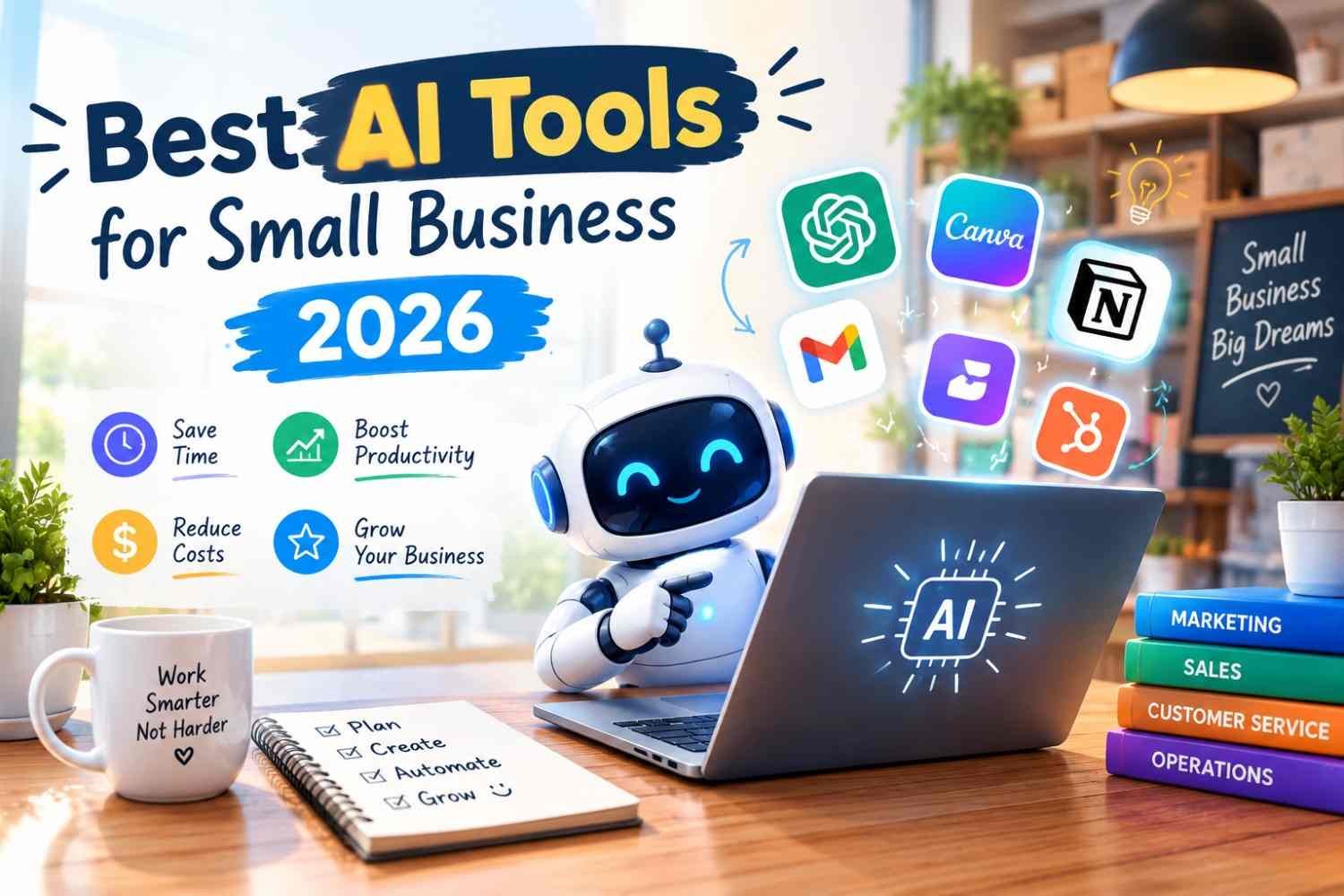
Looking for the best AI tools for small business 2026? You are in the right place. Running a small business means doing ten jobs at once: sales, marketing, customer support, bookkeeping and admin. The good news is that in 2026, AI tools have become affordable, easy to use and genuinely useful for small teams. The bad news is that there are thousands of them, and most business owners end up paying for subscriptions they barely use.
This guide cuts through the noise. Below we review the best AI tools for small business 2026, grouped by the job they do, with current pricing, real strengths, honest limitations and simple advice on which ones you actually need.

Note: Prices are in USD and were checked in October 2026. Prices can vary by country, taxes and billing cycle, so always confirm on the official website before buying.
Quick Comparison: Best AI Tools for Small Business 2026
| Tool | Best For | Free Plan | Paid Plan Starts At |
|---|---|---|---|
| ChatGPT | All-round writing, planning and admin | Yes | $20/month (Plus) |
| Claude | Long documents, careful writing, analysis | Yes | $20/month (Pro) |
| Microsoft 365 Copilot Business | Teams using Outlook, Word, Excel, Teams | Copilot Chat only | Add-on to a Microsoft 365 Business plan |
| Gemini in Google Workspace | Teams using Gmail, Docs, Sheets | No (14-day trial) | $7/user/month (annual) |
| Canva (Magic Studio) | Social media graphics and marketing designs | Yes | Pro plan (single user) |
| Zapier | Automating repetitive tasks between apps | Yes (100 tasks/month) | $19.99/month (annual) |
| HubSpot CRM | Managing leads, contacts and deals | Yes | Starter plans |
| QuickBooks Online | Bookkeeping, invoicing, expenses | Trial only | Monthly subscription |
| Otter.ai | Meeting notes and transcripts | Yes | Pro plan |
| Tidio | Website live chat and AI customer support | Yes | Paid plans by usage |
Why Use the Best AI Tools for Small Business 2026?
AI is no longer only for big companies. Most small businesses already use at least one AI-powered tool, often without even thinking of it as “AI.” The real benefit of the best AI tools for small business 2026 is simple: they take over repetitive work so you can focus on customers and growth.
- Save time: Draft emails, proposals and social posts in minutes instead of hours.
- Reduce costs: Handle tasks that would otherwise need a part-time assistant.
- Respond faster: AI chatbots can answer common customer questions 24/7.
- Make better decisions: Summarize reports, spreadsheets and customer feedback quickly.
The key is to choose a few tools that fit your daily work, not to collect as many subscriptions as possible.
1. ChatGPT – Best All-Round AI Assistant
ChatGPT by OpenAI remains the most widely used AI tool among small businesses, and it tops almost every list of the best AI tools for small business 2026. It is a flexible assistant that helps with almost any text-based task: writing emails, creating product descriptions, brainstorming marketing ideas, summarizing documents, analysing spreadsheets and planning projects.
Key Features
- Writing and editing for emails, blogs, ads and proposals
- File uploads for summarizing PDFs, reports and spreadsheets
- Image generation for quick marketing visuals
- Projects and custom GPTs to save your business instructions and reuse them
- Connectors to tools like Google Drive and Slack on business plans
Pricing (2026)
- Free: $0 with usage limits
- Go: a low-cost plan (around $8/month in the US)
- Plus: $20/month
- Business: $25 per user/month billed monthly, or $20 per user/month billed annually (minimum 2 users)
Why it is good for small business: The Business plan adds admin controls, a shared workspace, and keeps your business data out of model training by default, which matters if you handle client information. See the latest plans on the official ChatGPT pricing page.
Limitation: Free and lower-tier plans may show ads in some countries, and heavy users can hit usage limits.
2. Claude – Best for Long Documents and Careful Writing
Claude by Anthropic is a strong alternative to ChatGPT, especially for businesses that work with long documents such as contracts, policies, reports and research. Many users prefer its natural writing style and its ability to follow detailed instructions.
Key Features
- Handles long documents and multiple files in one conversation
- Projects to keep business knowledge and instructions in one place
- Strong at analysis, summaries and structured writing
- Claude Code included on paid plans for businesses that need coding help
Pricing (2026)
- Free: $0 with limits
- Pro: $20/month, or about $17/month billed annually
- Max: $100 or $200/month for heavy users
- Team Standard: $25 per seat/month, or $20 per seat/month billed annually
Best for: Consultants, agencies, legal and finance-related businesses, and anyone who reviews or writes long documents regularly. Compare plans on the official Claude pricing page.
3. Microsoft 365 Copilot Business – Best for Microsoft Office Users
If your business already runs on Outlook, Word, Excel, PowerPoint and Teams, Microsoft 365 Copilot puts AI directly inside the apps you use every day. Microsoft now offers Copilot Business, a cheaper version made for organizations with 1 to 300 users.
Key Features
- Summarize long email threads in Outlook and draft replies
- Create Word documents and PowerPoint slides from simple prompts
- Analyse Excel data and create formulas using plain language
- Get meeting recaps and action items in Teams
- Respects your existing Microsoft 365 permissions and security settings
Pricing (2026)
- Copilot Chat: free for Microsoft 365 business users (basic AI chat)
- Copilot Business add-on: standard price $21 per user/month, with a promotional price of $18 per user/month through December 31, 2026
- Requires a qualifying Microsoft 365 Business plan (Basic, Standard or Premium)
Limitation: You pay for both the Microsoft 365 plan and the Copilot add-on, so total cost per user is higher than standalone AI chat tools. Learn more on Microsoft’s Copilot for business page.
4. Gemini in Google Workspace – Best for Gmail and Google Docs Users
If your business uses Gmail, Google Docs, Sheets and Meet, you may already be paying for AI. Google now includes Gemini inside its Workspace business plans instead of selling it as an expensive add-on.
Key Features
- “Help me write” in Gmail for drafting and replying to emails
- Email thread summaries and smart replies
- Gemini in Docs, Sheets, Slides and Meet (on Business Standard and above)
- AI research notebooks for your business documents
- Professional business email on your own domain
Pricing (2026)
- Business Starter: $7/user/month (annual) or $8.40 (flexible) – Gemini in Gmail and the Gemini app
- Business Standard: $14/user/month (annual) – Gemini in all Workspace apps
- Business Plus: $22/user/month (annual) – extra security and storage
Tip: Business Starter does not include Gemini inside Docs, Sheets, Slides or Meet. If you want AI across all apps, choose Business Standard. Check current rates on the Google Workspace pricing page.
5. Canva (Magic Studio) – Best for Marketing Designs
Marketing is one of the top AI use cases for small businesses, which is why Canva earns its place among the best AI tools for small business 2026. Its AI suite, called Magic Studio, helps you create social media posts, flyers, presentations and short videos in minutes, even if you are not a designer.
Key Features
- Text-to-image and text-to-design generation
- Background Remover and Magic Eraser for product photos
- Magic Write for captions and marketing copy
- Magic Resize to turn one design into many social media sizes
- Brand Kit to keep your logo, colours and fonts consistent
Pricing (2026)
- Free: templates and limited AI credits
- Pro: paid single-user plan with full Magic Studio, Brand Kit and premium assets
- Business: per-user pricing with team collaboration features
Limitation: AI features use a shared monthly credit allowance, so very heavy AI users may run out before the month ends. Pro is a one-person licence, so teams need the Business plan. See the Canva pricing page for prices in your country.
6. Zapier – Best for Automating Repetitive Tasks
Zapier connects thousands of apps so that work moves between them automatically. For example, when someone fills out your website form, Zapier can add them to your CRM, send a welcome email and notify you on Slack, all without you touching anything. AI steps let you summarize, classify or rewrite data inside these workflows.
Key Features
- 8,000+ app integrations
- Multi-step automations (called Zaps) on paid plans
- AI steps and Copilot to build automations in plain language
- Built-in Tables and Forms
Pricing (2026)
- Free: 100 tasks per month, two-step Zaps only
- Professional: from $19.99/month billed annually ($29.99 billed monthly) for 750 tasks
- Team: higher pricing for shared workspaces
Limitation: Pricing depends on how many tasks you run, so estimate your monthly volume before choosing a plan on the Zapier pricing page.
7. HubSpot CRM – Best for Sales and Customer Management
A CRM (customer relationship management) system is the heart of any growing business. HubSpot is popular with small businesses because its core CRM is free, and its AI features help you write sales emails, summarize customer records and score leads.
Key Features
- Free CRM to track contacts, companies and deals
- AI email writing and conversation summaries
- Marketing emails, forms and landing pages
- Live chat and chatbot tools for your website
Pricing: The HubSpot CRM core is free. Starter, Professional and Enterprise plans add more automation and AI features.
8. QuickBooks Online – Best for AI Bookkeeping
Bookkeeping is one of the most time-consuming jobs for small business owners. QuickBooks Online uses AI (Intuit Assist) to categorize transactions, match bank entries, create invoices, send payment reminders and give you simple insights into cash flow.
Key Features
- Automatic transaction categorization
- AI-assisted invoice creation and payment reminders
- Expense tracking with receipt capture
- Cash flow reports and business insights
Pricing: Monthly subscription plans that vary by country and features. Check whether QuickBooks Online supports your local tax rules before signing up.
9. Otter.ai – Best for Meeting Notes
If you spend hours in client calls and team meetings, Otter.ai can record, transcribe and summarize everything for you. It joins Zoom, Google Meet and Microsoft Teams meetings and creates searchable notes with action items.
Key Features
- Live transcription of meetings
- Automatic summaries and action items
- Searchable meeting library
- Easy sharing with your team
Pricing: Free plan with limited minutes; paid Pro and Business plans for more recording time. Always tell meeting participants that the call is being recorded, as recording laws differ by country.
10. Tidio – Best for AI Customer Support
Customers expect quick replies. Tidio adds live chat and an AI support agent (Lyro) to your website that can answer common questions, capture leads and pass difficult conversations to a human.
Key Features
- AI chatbot trained on your FAQs and website content
- Live chat, email and social messages in one inbox
- Integrations with Shopify, WordPress and other platforms
- Lead capture forms inside the chat
Pricing: Free plan available; paid plans are based on usage and the number of AI conversations.
Honourable Mentions
These tools did not make our top 10, but they are still worth a look when comparing the best AI tools for small business 2026:
- Perplexity: AI search engine that gives answers with sources, great for market research.
- Grammarly: AI writing assistant for clear, professional emails and documents.
- Notion AI: organizes notes, documents and an internal knowledge base for your team.
Budget Stacks Using the Best AI Tools for Small Business 2026
Starter Stack (Almost Free)
- ChatGPT Free or Claude Free for writing and planning
- Canva Free for social media posts
- HubSpot Free CRM for customer tracking
- Zapier Free for one or two simple automations
Growth Stack (Around $50–$80 per month for one person)
- ChatGPT Plus or Claude Pro
- Canva Pro
- Zapier Professional
- Otter.ai or Tidio, depending on whether meetings or customer chats take more of your time
Team Stack (Per User)
- Google Workspace Business Standard (with Gemini) or Microsoft 365 with Copilot Business
- ChatGPT Business or Claude Team for advanced AI work
- HubSpot paid plan and QuickBooks Online for sales and finance
How to Choose the Best AI Tools for Small Business 2026
- Start with your biggest time-waster. Is it emails, social media, bookkeeping or customer questions? Pick a tool that solves that one problem first.
- Use what you already pay for. If you have Google Workspace or Microsoft 365, test their built-in AI before buying new tools.
- Try free plans first. Almost every tool on this list has a free plan or free trial.
- Check data privacy. Do not paste sensitive customer data into free AI tools. Business plans usually offer stronger privacy controls.
- Measure the results. After 30 to 60 days, check if the tool actually saves time or money. If not, cancel it.
- Keep humans in charge. AI can make mistakes. Always review important content, numbers and customer replies before sending.
Related reading: How to Start a Side Business with No Money and How to Price Your Products or Services.
FAQs About the Best AI Tools for Small Business 2026
Which are the best AI tools for small business 2026?
The best AI tools for small business 2026 include ChatGPT, Claude, Microsoft 365 Copilot Business, Gemini in Google Workspace, Canva, Zapier, HubSpot CRM, QuickBooks Online, Otter.ai and Tidio. The right mix depends on whether you need help with writing, design, automation, sales, finance or customer support.
What is the best AI tool for a small business to start with?
For most small businesses, a general AI assistant like ChatGPT or Claude is the best starting point because it helps with writing, planning, research and admin tasks in one place.
Are free AI tools good enough for a small business?
Free plans are good for testing and light use. If you use AI every day, a paid plan around $20 per month usually gives better models, higher limits and better privacy features.
How much should a small business spend on AI tools?
Many small businesses get strong results with two to four tools. For a solo owner, $40 to $80 per month is a realistic budget. Teams should calculate cost per user and compare it with the hours saved.
Is ChatGPT or Claude better for business?
Both are excellent and priced similarly. ChatGPT offers more built-in features such as image generation and a large app ecosystem, while Claude is often preferred for long documents and careful writing. Try both on their free plans and choose the one that fits your work.
Can AI replace employees in a small business?
AI works best as a helper, not a replacement. It removes repetitive work so your team can focus on customers, sales and decisions that need human judgment.
Is my business data safe with AI tools?
It depends on the plan. Business and team plans from major providers usually exclude your data from model training and add admin controls. Always read the privacy policy and avoid sharing sensitive information on free plans.
Final Thoughts on the Best AI Tools for Small Business 2026
The best AI tools for small business 2026 are not the ones with the most features. They are the ones you actually use every day. Start with one general AI assistant, add a design tool for marketing, and automate your most repetitive task. Once these are working, expand into CRM, bookkeeping and customer support AI.
Small businesses that use AI wisely in 2026 can compete with much bigger companies, without hiring a bigger team.