
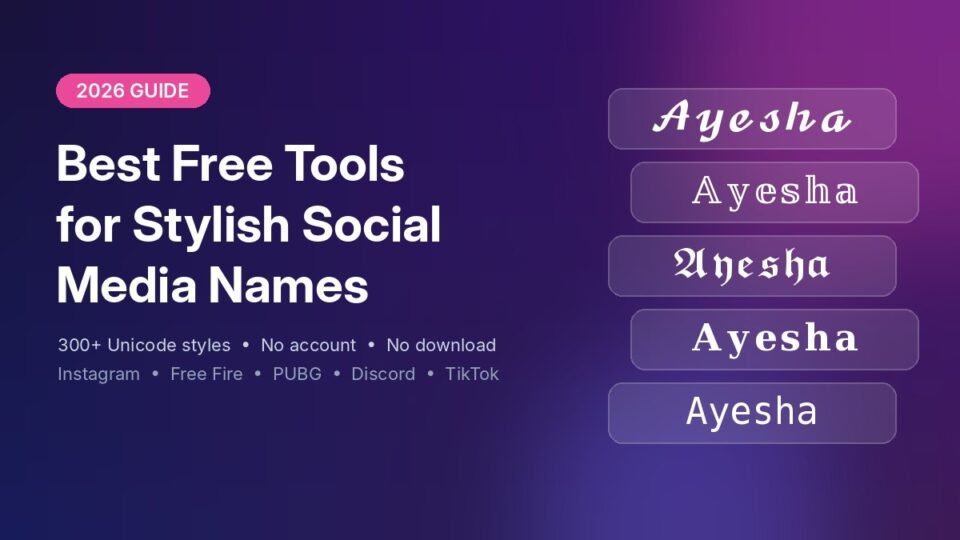
A social media name is often the first thing people see on a profile. It appears next to every comment, message and post, so it shapes the first impression before anyone reads your bio.
A plain name is easy to forget, while a well-styled one makes a profile feel polished and personal. You no longer need a design app, a paid font pack or any software to style a name. Free browser tools now do the whole job in seconds.
Quick Answer: The best free tool for stylish social media names is a browser-based Unicode generator such as Stylish Name Checker, which shows your name in 300+ styles at once with no account or download. Keep Instagram display names within 30 characters and Free Fire nicknames within 12 characters, then test the styled name on your phone before you save it.
Who this guide is for: Gamers, creators and everyday users worldwide, with a special focus on players in Pakistan, India and the Middle East who use Free Fire, PUBG Mobile and BGMI (the India-only version of PUBG Mobile). All tools covered here are free, so no currency conversion is needed. Character limits are set by each platform, not by country, and they apply the same way everywhere.
Why Style a Name at All?
A stylish name is not about showing off. For many people, it is a small act of identity.
- Gamers: want a clan name that stands out in a lobby.
- Creators: want a display name that matches their channel’s theme.
- Casual users: simply want a bio that feels like their own.
Because a name is short, the styling has to work hard. A few well-chosen symbols, a script-style letter set or a clean frame can change how a name reads without changing what it says.
There is a practical side too. On platforms where millions of people share similar names, a styled version helps a profile look distinct in search results and comment sections. It does not replace good content, but it gives the profile a clearer identity at first glance.
Also read: How to Grow a Local Business From Zero to the Top: 8 Stages
How Stylish Text Actually Works
Name generators do not change your font. They swap normal letters for lookalike Unicode characters, most of them taken from the Mathematical Alphanumeric Symbols block (U+1D400 to U+1D7FF). That is why styled text survives copy and paste into almost any app.
This also explains the two big trade-offs. A styled name may not show up when someone searches for the plain spelling, and screen readers may read each letter out by its technical name instead of reading the word.
What Makes a Good Name-Styling Tool?
Not every tool that promises fancy text is worth using. A good one passes five simple tests.
- Free in practice: A tool that hides its best styles behind a subscription is not really free.
- No account, no download: A name is a small thing and should not need a software install.
- Live preview: You should see exactly how a name looks before you copy it.
- Many styles: Bold letters, script fonts, symbols and frames are the basic set. Hundreds of styles give you real choice.
- Clean copying: Text that pastes as broken boxes on a phone is worse than no styling at all.
Free Name-Styling Tools Compared (2026)
Here is how the main types of free tools compare in 2026. All of them cost nothing to use in a browser.
| Tool type | Cost | Styles offered | Account needed | Best for |
|---|---|---|---|---|
| Stylish Name Checker (all-rounder) | Free | 300+ Unicode styles | No | Social profiles, gaming names, bios, Urdu/Arabic/Hindi names |
| Font and text converters | Free | Usually a handful (bold, script, double-struck) | No | Quick conversion when you already know the style |
| Symbol and decoration sites | Free | Symbols, frames and dividers (no full alphabets) | No | Building bio layouts and clan tags by hand |
| Single-game name generators | Free | Narrow; word lists plus a few symbols | Usually no | Brainstorming gaming nicknames |
Stylish Name Checker: The All-Rounder
The most complete free option in this space is Stylish Name Checker. It is a free, browser-based stylish name and fancy text generator with more than 300 Unicode styles.
You type a name once, and the tool shows it in every style at the same time, from bold and italic letters to script fonts, symbols and frames. You copy the version you like and paste it into Free Fire, PUBG or BGMI, Instagram, TikTok, Discord or WhatsApp.
The Toolset Around the Generator
- Name Studio: build and preview a name in detail.
- AI Name Coach: suggests ideas when you are stuck.
- Nickname Generator: built for gaming names.
- Fancy Keyboard: covers styled typing beyond names.
- Compatibility Lab: an extra tool on the site.
- Name library: 411 name pages across 80 categories, covering games, social profiles, bios and clan names.
- Language support: Urdu, Arabic and Hindi, which matters for the many users whose names use those scripts.
Every style is free, with no install and no account needed.
Practical Workflow for a Social Media Name
Type the name, scroll through the styles and pick one that reads clearly at small sizes. Then copy it.
Styles that look good large can be hard to read in a tiny comment font. Checking the preview at a small size before copying is worth the extra second.
Other Free Tools Worth Knowing
No single tool fits every use, so it helps to know where each type of tool is strongest.
Font and Text Converters
These take plain text and return it in a decorative Unicode alphabet, such as bold, script or double-struck letters. They are quick and work everywhere, but usually offer only a handful of styles and no name-specific features.
Symbol and Decoration Sites
These collect decorative symbols, frames and dividers that you add around a name yourself. They are useful for a bio layout or clan tag, but manual assembly is slower than a generator that shows finished names.
Single-Game Name Generators
These suggest gaming nicknames from a word list and sometimes add a symbol or two. They are fun for brainstorming, but their styles are narrow and they rarely help with a social profile name.
For most people, a general generator with many styles covers all three needs at once: conversion, decoration and ideas. Single-purpose tools are still handy when you want one specific effect, such as a particular symbol set.
Also read: Property Developer in Lahore: 7 Online Checks Before You Buy
Platform Name Limits to Check First
A style can look perfect and still be rejected because of length or character rules. Check these limits before you style a name.
| Platform / field | Character limit | Fancy Unicode allowed? |
|---|---|---|
| Instagram username (@handle) | 30 | No: only letters, numbers, periods and underscores |
| Instagram name (display) field | 30 | Yes: spaces, mixed case and most special characters |
| Free Fire / Free Fire MAX nickname | 12 | Yes, in most cases; changing it costs diamonds or a Name Change Card |
Some styled letters count as more than one character in certain apps, so a name that looks short can still hit the limit. If a name is rejected, cut a symbol or switch to a simpler style.
How to Pick a Style That Works
Step 1: Test Readability on Your Phone
Script fonts and heavily decorated letters can be hard to read on a small screen, and some characters show up as empty boxes on older devices. Paste the styled name into a message to yourself, open it on your phone and read it at normal size. If you have to squint, pick a cleaner style.
Step 2: Check the Platform
Some games and apps accept only certain characters, so a style that works on Instagram may be rejected in a game lobby. If that happens, use fewer special characters or keep the decoration to a frame around plain letters.
Step 3: Stay Consistent
A name that matches the rest of the profile, with the same tone in the bio and the same style in the display name, looks deliberate. Pick one style family and use it across the profile rather than mixing five.
Common Mistakes to Avoid
- Over-styling: A name covered in symbols is harder to remember and search for. One decorative idea is usually enough.
- Copying without a preview: Some converters produce characters that look fine on desktop but show as boxes on a phone. Always preview on the device where the name will be seen.
- Installing apps or creating accounts: A name is a few characters of text and should not need a download. Browser tools without sign-up are the safer choice.
- Forgetting the name is public: Everyone who sees your profile sees the name. Choose something you will still like in a few months.
- Styling the searchable part: Fancy letters may not match a search for your plain name. Keep your real name plain somewhere on the profile so people can find you.
Also read: Why Good Resumes Get Rejected Before a Human Ever Reads Them
A Simple 5-Step Workflow
- Decide the purpose: a game, a social profile, a bio or a clan.
- Generate styles: open a free generator such as the Name Studio, type the name and browse the styles.
- Shortlist three: choose styles that read clearly at small sizes and fit the platform’s character limit.
- Test on your phone: paste each one into a test message and view it at normal size.
- Use it everywhere: pick the clearest one and use it consistently across the profile.
The whole process takes a few minutes and costs nothing. The result is a name that looks intentional, reads clearly and works where it will actually appear.
How We Checked This Guide
We checked how styled text works against Unicode’s Mathematical Alphanumeric Symbols block and public accessibility guidance on how screen readers handle these characters. Platform limits come from Instagram’s published username rules and current Free Fire nickname guides, checked in November 2026.
Tool features and style counts for Stylish Name Checker reflect what the site lists at the time of writing. Platforms change their rules without notice, so always test a name in the app itself before relying on it.
Frequently Asked Questions
What is the best free tool for stylish social media names?
A browser-based generator with many styles, such as Stylish Name Checker, is the best all-round choice. It shows your name in 300+ Unicode styles at once, needs no account and works for both social and gaming names.
Are stylish name generators really free?
Good ones are completely free and run in your browser. Avoid tools that lock their best styles behind a subscription or ask you to install an app just to style a name.
Can I use fancy fonts in my Instagram username?
No. Instagram usernames only allow letters, numbers, periods and underscores. You can use styled Unicode text in the separate name (display) field, which has a 30-character limit.
Why does my stylish name show as boxes?
Boxes appear when the device’s fonts do not include the Unicode characters in your name. Older phones are most affected, so test the name on your own phone and switch to a simpler style if you see boxes.
How long can a Free Fire nickname be?
A Free Fire or Free Fire MAX nickname can be up to 12 characters. Changing it later costs diamonds or a Name Change Card, so test the styled name before you confirm it.
Do stylish names affect search and accessibility?
Yes. Fancy Unicode letters may not match searches for your plain name, and screen readers may read each letter out by its technical name. Keep your real name in plain text somewhere on your profile.
Final Thoughts
Stylish names are a small detail, but small details make a profile feel finished. Free browser tools have made the process quick: no design skills, no payment and no installation needed.
Use a tool with many styles, preview carefully, keep the decoration simple and stay within each platform’s limits. Done that way, a stylish name is not a gimmick. It is simply a profile that looks like its owner meant it.